
Enlisted is a free to play WW2 game with massive battles that you can play with friends too. If you’re wondering how to add friends, this guide is for you. Fortunately, it’s nothing too complex, especially if you’re playing on PC. We’ll also discuss how playing with friends in Enlisted works too. Continue reading below for the complete guide on how to add friends.
| How to Add Friends in Enlisted |
| How to Add Friends Cross-Platform |
How to Add Friends in Enlisted
Playing games with friends is always a great way to make them more enjoyable. If you’re playing the Squads mode in Enlisted with others, you’ll still each have your own squad to lead. So don’t worry about being stuck in someone else’s squad. And if you pick the Lone Fighters mode instead, you’ll all play one individual person each. This mode doesn’t have AI soldiers like the Squads mode anyway.
Regardless, if you’re playing on console you should be able to add friends through your platform as you normally would. Whereas if you’re on PC, you can follow these simple steps to add someone.
- Make sure you’re at the Enlisted lobby screen where you can see your squad.
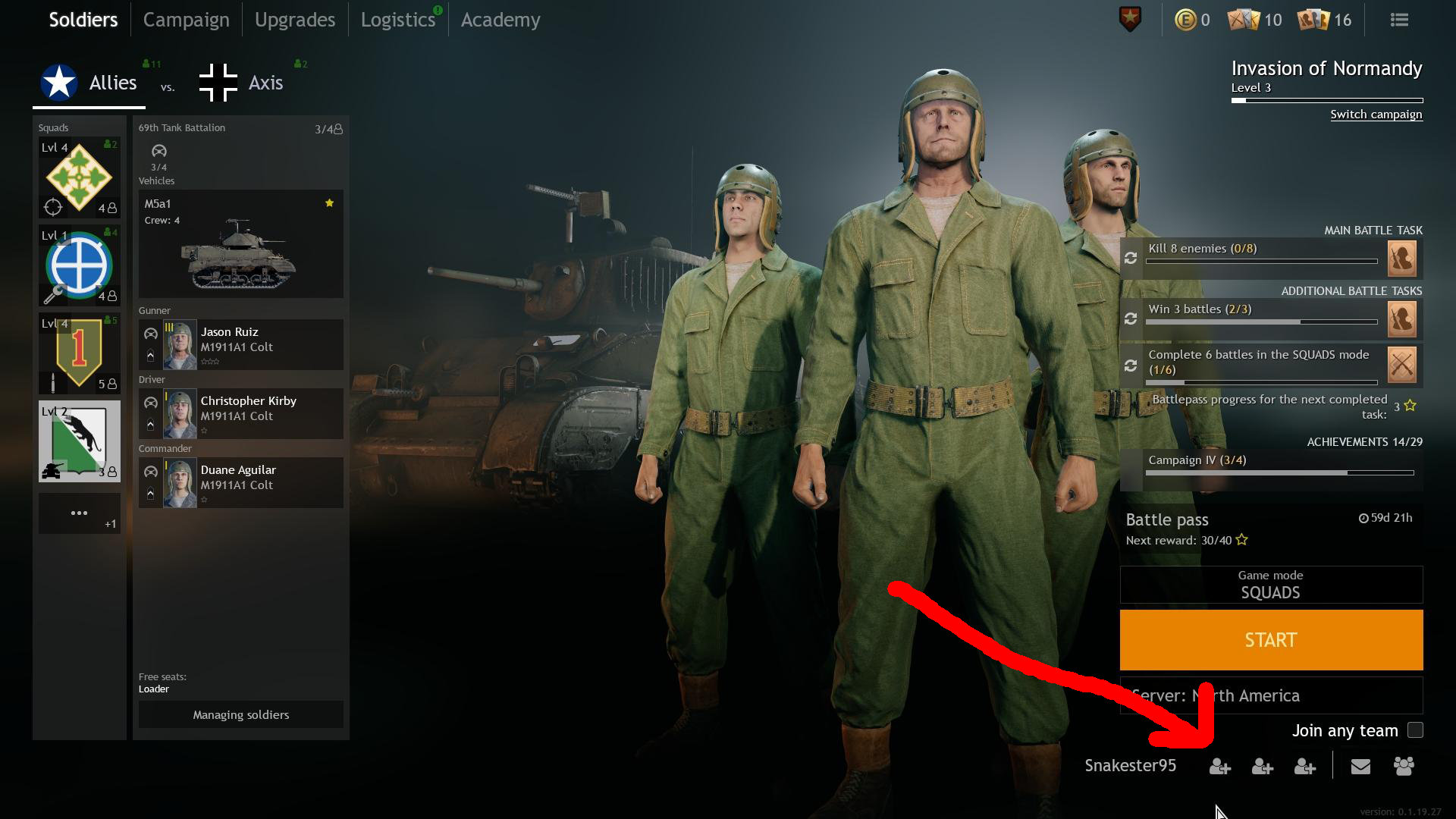
- Then, look at the bottom right corner where your username is shown. There are three little people with a plus next to them. Click any of these to open a new menu. You can see this in the screenshot above.
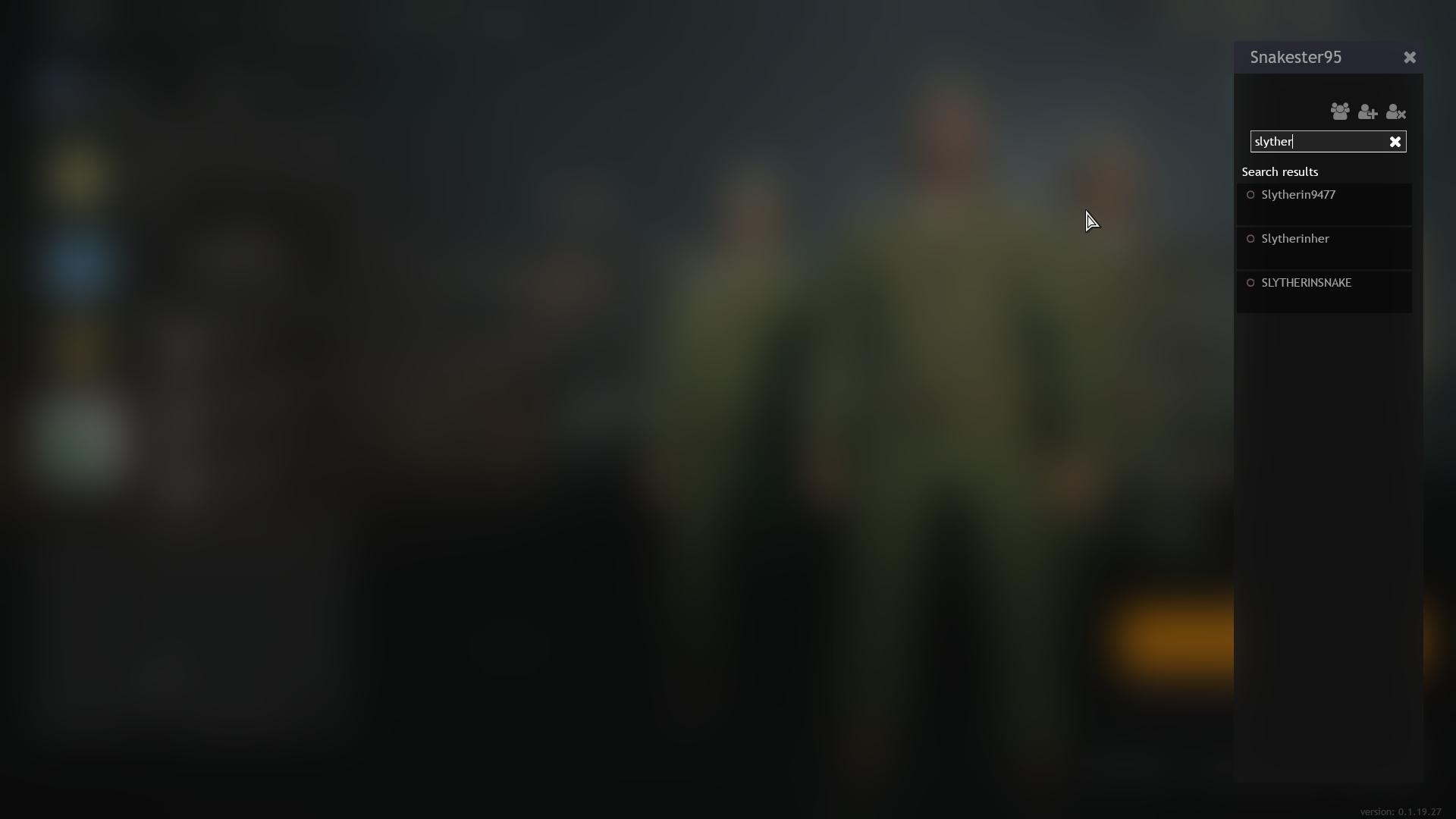
- A small sidebar will open up with a search bar that says, “Search for new friends…” Type someone’s name into this box to show people with that name. This is shown in the screenshot below.
Click the image to expand it. - Once you find the name you’re looking for, click it and then click “Invite to your friends list”. Or if you’d prefer to only invite them your group/party, you can do that instead. You can see how this works in the screenshot below.
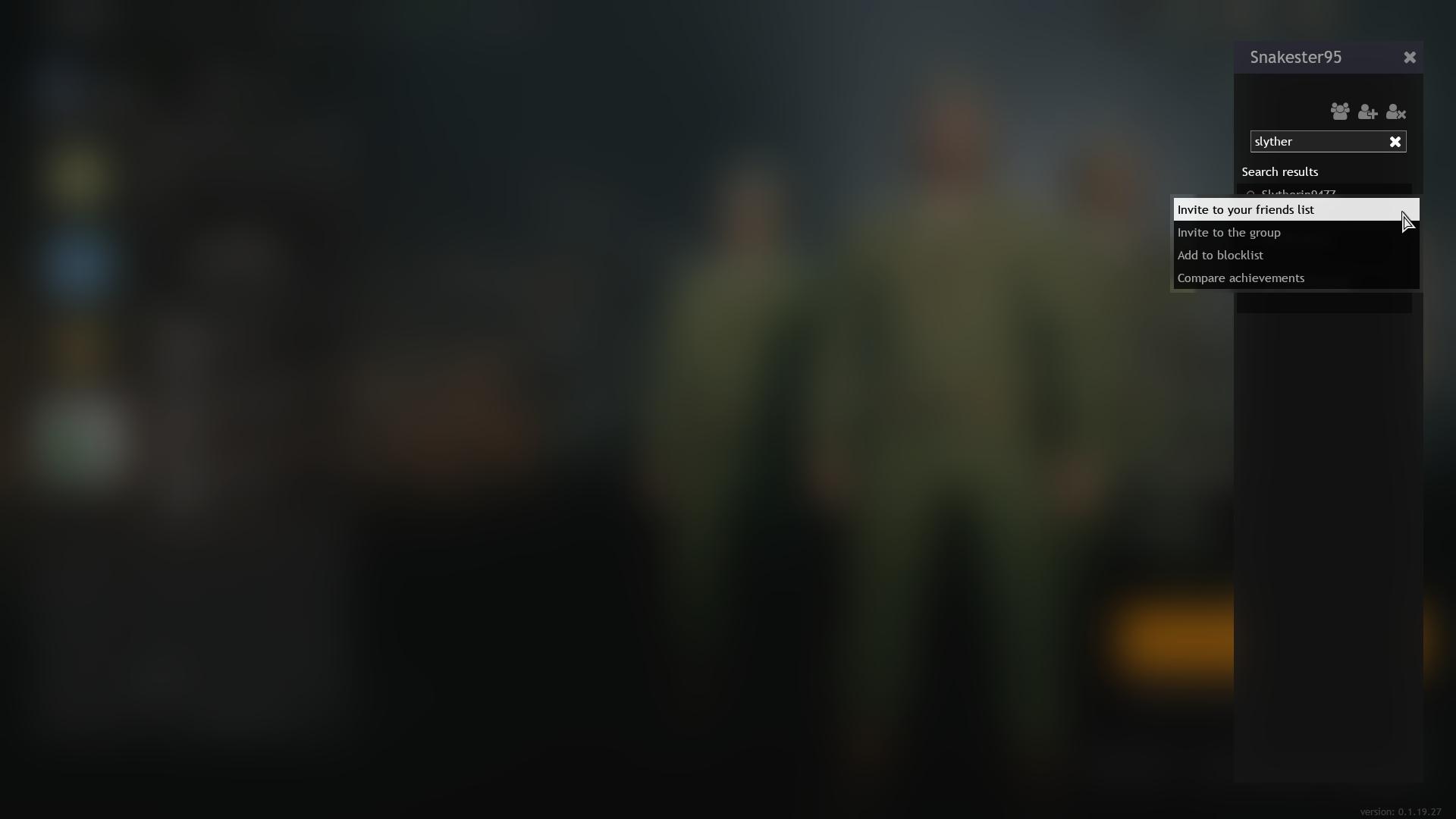
Click the image to expand it. - Now the other person just needs to accept your request from the same sidebar menu. The person with a + in this sidebar menu shows requests and invitations sent.
Once you’ve added someone to your friends list in Enlisted, you can invite them to your group more easily. Simply invite them from your contacts via the sidebar explained in our steps above. Once someone is in your group, they’ll appear near the bottom right corner next to your name. You can then click to start a match pulling them into one.
How to Add Friends Cross-Platform
With how cross-platform play is implemented into Enlisted, there isn’t a way to invite friends from other platforms yet. However, the developer left a comment on the official forum that it’s currently in the works. Unfortunately, there isn’t an estimated time on when to expect it yet.
We’ll try to update this article when/if a way to add friends across platforms is added. For extra info on how cross-platform play works in Enlisted, console players have it enabled by default. This means you’ll run into those on Xbox and PlayStation when matchmaking into a game.
For those playing on PC, you won’t have an option to play with those on console. That doesn’t mean console players can’t appear in your match though. They still have the option of choosing to play with those on PC. This seems to be a separate choice from playing across consoles exclusively. But we haven’t confirmed it. More information on enabling or disabling cross-play is available here.
If you’d like to see more Enlisted guides filled with tips and tricks to help you out, visit our guide hub here. Otherwise, we’ve listed a few useful guides below that may answer questions you have. And if you still need help with something, feel free to comment below the article. We’ll do our best to get back to you.

Jeff is a journalist with over 10 years of experience writing, streaming, and making content about video games. With an associate degree in journalism, he’s a sucker for RPGs, survival games, roguelikes, and more.