
Muck - How to Use Creative Mode

If you’re new to the survival roguelite game Muck and wondering how to use the creative mode, this guide is for you. Unfortunately, most people going into this game may be thinking there’s more to creative than there actually is. Traditionally, this type of mode usually means being able to spawn every item type, use cheats, and other useful freebies. But that isn’t quite the case.

How to Use Creative Mode in Muck
Muck - Creative Game Mode

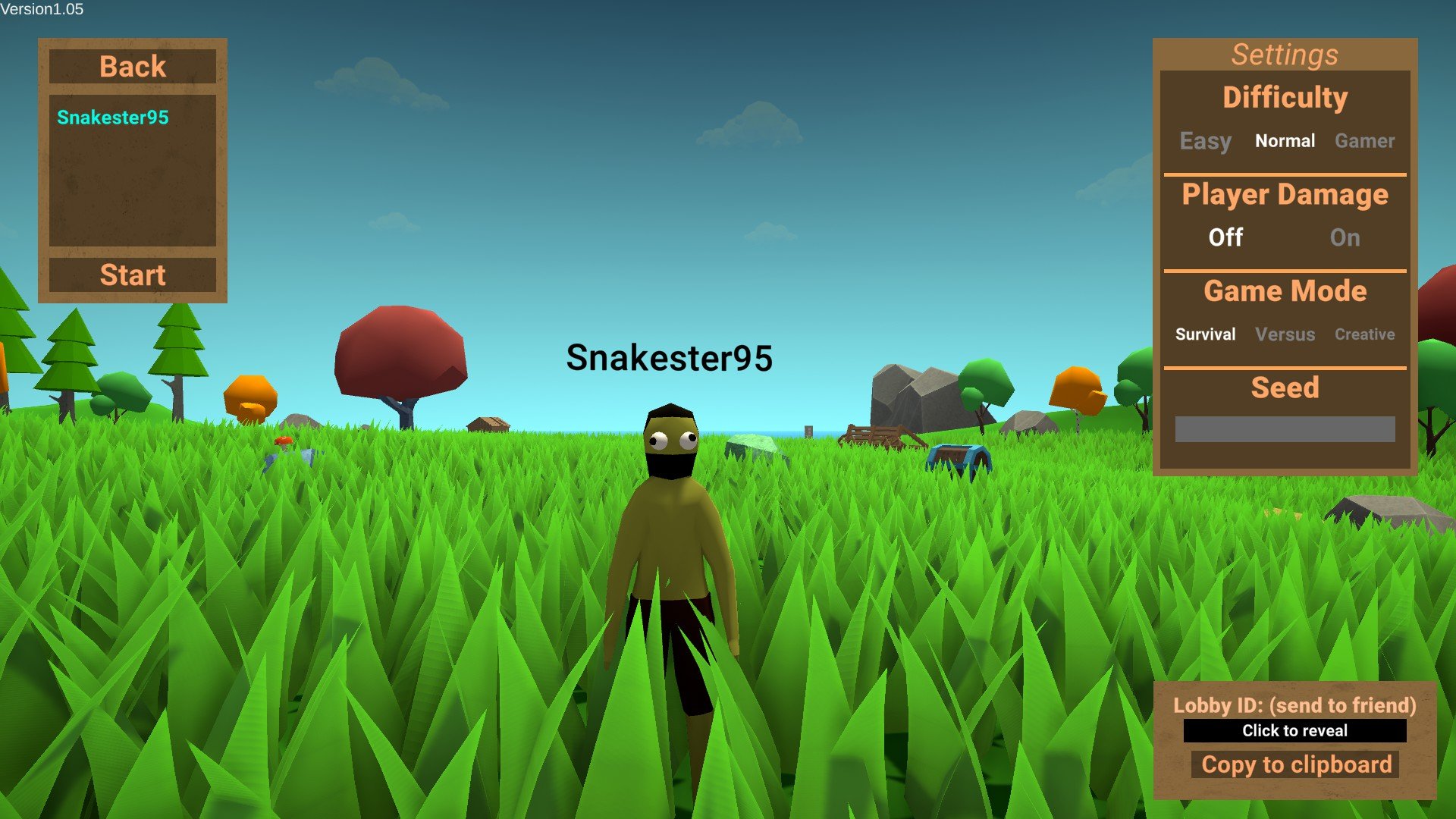
When starting a game, you can pick three different game mode settings: Survival, Versus, and Creative. For the purpose of this guide, we’ll be discussing just the third mode. If you’re looking for a creative mode similar to games like Minecraft, you won’t quite get that. The only difference from the Survival mode that we’ve noticed is no enemies spawning at night.

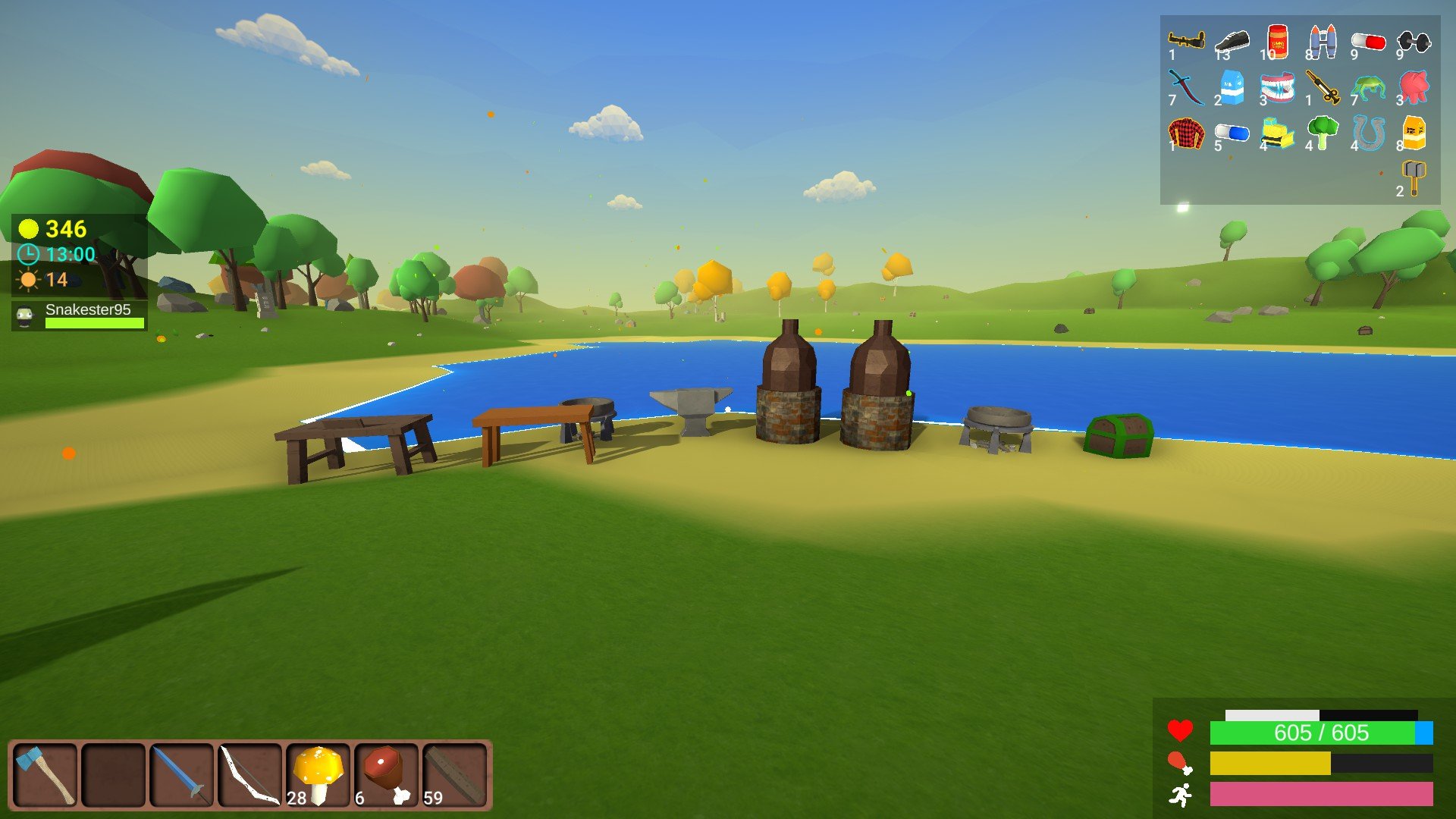
When normally playing Muck, you’ll get raided by enemies every night until the morning comes. This mechanic can be a bit of a pain, but they become a good source of coins and other random resources too. Without monsters to kill, you can only get coins for opening chests by crafting them yourself. This requires mining gold, smelting it into gold bars, and then crafting coins at an Anvil.

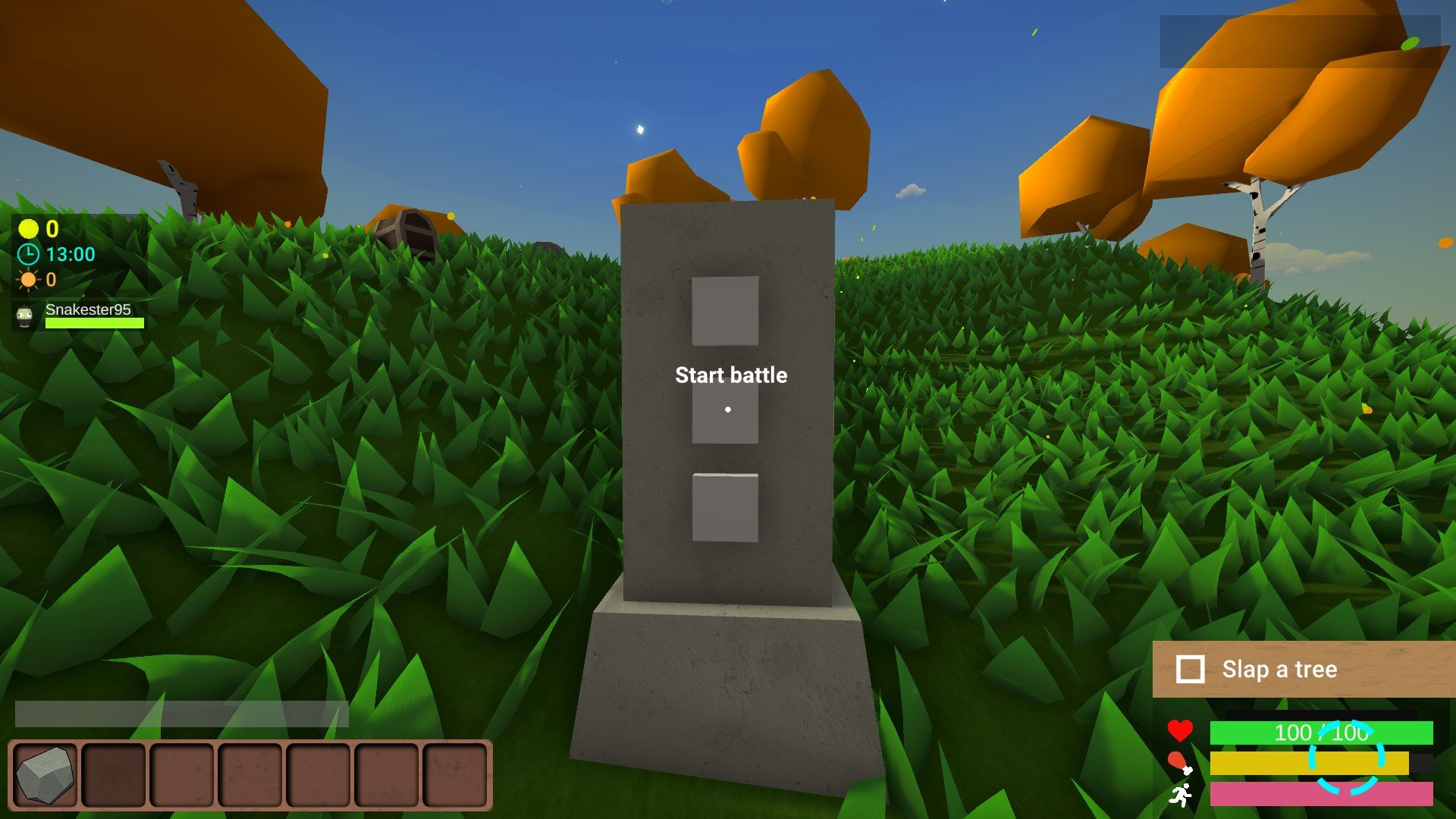
With that said, there is still one way to manually spawn enemies in the Creative mode. Instead of waiting for them to spawn at night and raid your base, you can spawn them at challenge totems. By manually activating a totem, three random enemies will spawn that you’ll need to defeat. If you don’t kill them, they’ll continue to chase you down until you do.
Muck - Challenge Battle Totem
Activate these totems to trigger a battle with three random enemies of the same type even in creative.

Beware that you can spawn any enemy from these totems. I don’t know if the day you’re on matters in relation to what will spawn. As personally, I’ve seen easy monsters spawn late-game while playing on the Survival mode. And I’ve also seen three Buff Big Chunk bosses spawn out of a totem. So be prepared for your safe Creative mode to come to an end while using these totems.

As far as I know, there isn’t a way to save your Muck run and that can be a little disappointing. Especially for players looking to quit and save so they can come back to their run. On the bright side, Muck is a relatively quick game that you can speed through as you learn more about it. If you’re new to it and still learning, be sure to visit our beginner guide for useful tips and tricks.

The one feature that the developer should really add to this mode is respawning. As it currently stands, players can only respawn in multiplayer. Which tends to screw over those playing alone. However, it is worth mentioning that it’s a small team working on Muck. But, that would be an ideal feature for those of us enjoying the creative mode in singleplayer.

25 responses to “Muck – How to Use Creative Mode”

  1. Nikolai Avatar
    Nikolai

    this was helpful

    1. Jeffrey Lerman Avatar
      Jeffrey Lerman

      Hopefully the developer considers adding more to the creative mode since it’s basic as is right now. But, at least it’s a way for people to learn or enjoy Muck without too much trouble.

      1. Fred Avatar

        Dont call him the developer his name is dani

        1. Jeffrey Lerman Avatar
          Jeffrey Lerman

          To be fair, he’s a game developer. And he’s also not the only one making Muck.

          1. Jayden Avatar
            Jayden

            im pretty sure dani is the only developer on muck

          2. Jeffrey Lerman Avatar
            Jeffrey Lerman

            While he is the main developer behind Muck, you can check the About page in-game to see others. I’m primarily looking at QA testers, even though Dani credits Shaders & Textures he used as well.

        2. Dani lover Avatar
          Dani lover

          Frick yeah Fred

  2. Im bored Avatar
    Im bored

    my creative mode broken dude it doesnt have that weird menu in the top right

    1. Jeffrey Lerman Avatar
      Jeffrey Lerman

      If you’re talking about the menu in my screenshot, that’s just for each buff I’ve collected. It won’t appear until you start getting buffs from chests.

  3. denchik Avatar
    denchik

    how to enable the creative

    1. Jeffrey Lerman Avatar
      Jeffrey Lerman

      When hosting a Muck lobby, all you need to do is click “Creative” under game modes on the right side. Once you start your game, it will be in Creative mode.

  4. dapper fox Avatar
    dapper fox

    how to get any item?

    1. Jeffrey Lerman Avatar
      Jeffrey Lerman

      Creative mode unfortunately doesn’t have a way to spawn in items. So you’ll need to still build and craft everything the normal way. The only real difference from survival is that enemies won’t come at night.

  5. nunya Avatar
    nunya

    My only question, is do chests and totems respawn?? I can’t seem to find the answer anywhere.

  6. random Avatar
    random

    /kill works in muck

    1. Kyle Kulyk Avatar
      Kyle Kulyk

      wait what?

      1. Jeffrey Lerman Avatar
        Jeffrey Lerman

        While I can’t imagine why you’d do it, /kill instantly kills you in-game haha. Maybe if you’re stuck and have someone that can revive you in multiplayer.

  7. JustMN Avatar

    Can I collect achievements at creative mode?

    1. Jeffrey Lerman Avatar
      Jeffrey Lerman

      Hey JustMN, just had a friend test it and yes you can.

  8. not dani Avatar
    not dani

    im not dani cyuz my name duh

    1. Jeffrey Lerman Avatar
      Jeffrey Lerman

      I don’t believe you

  9. Asdfghjkl Avatar
    Asdfghjkl

    What Happened To Dani?

    1. Jeffrey Lerman Avatar
      Jeffrey Lerman

      @Asdfghjkl Hey there, I tried digging around a bit but it doesn’t seem Dani’s been active anywhere lately. They may just be busy developing games like Karlson. The last activity I noticed was on their Twitter back in September.

Leave a Reply

Your email address will not be published. Required fields are marked *